> For the complete documentation index, see [llms.txt](https://docs.degirum.com/llms.txt). Markdown versions of documentation pages are available by appending `.md` to page URLs; this page is available as [Markdown](https://docs.degirum.com/axelera/intermediate-guides/zone-based-counting.md).
# Zone-based counting
Count detections inside polygonal zones—ideal for traffic, retail, and other analytics.
*Estimated read time: 4 minutes*
Many applications (e.g., traffic, retail, safety) need counts within specific regions, not across the entire frame. Zone-based counting lets you define polygonal areas and track totals per zone, optionally per class. This guide uses a YOLOv8 detection model and an interactive zone tool so you can adjust zones live, without changing the code.
## How it works
* A detection model runs on each frame to identify objects.
* A `ZoneCounter` analyzer checks which detections fall inside your polygons and updates the counts.
* You can interactively adjust zone vertices in the display window to fine-tune boundaries—no code changes needed.
## Basic Zone Counter
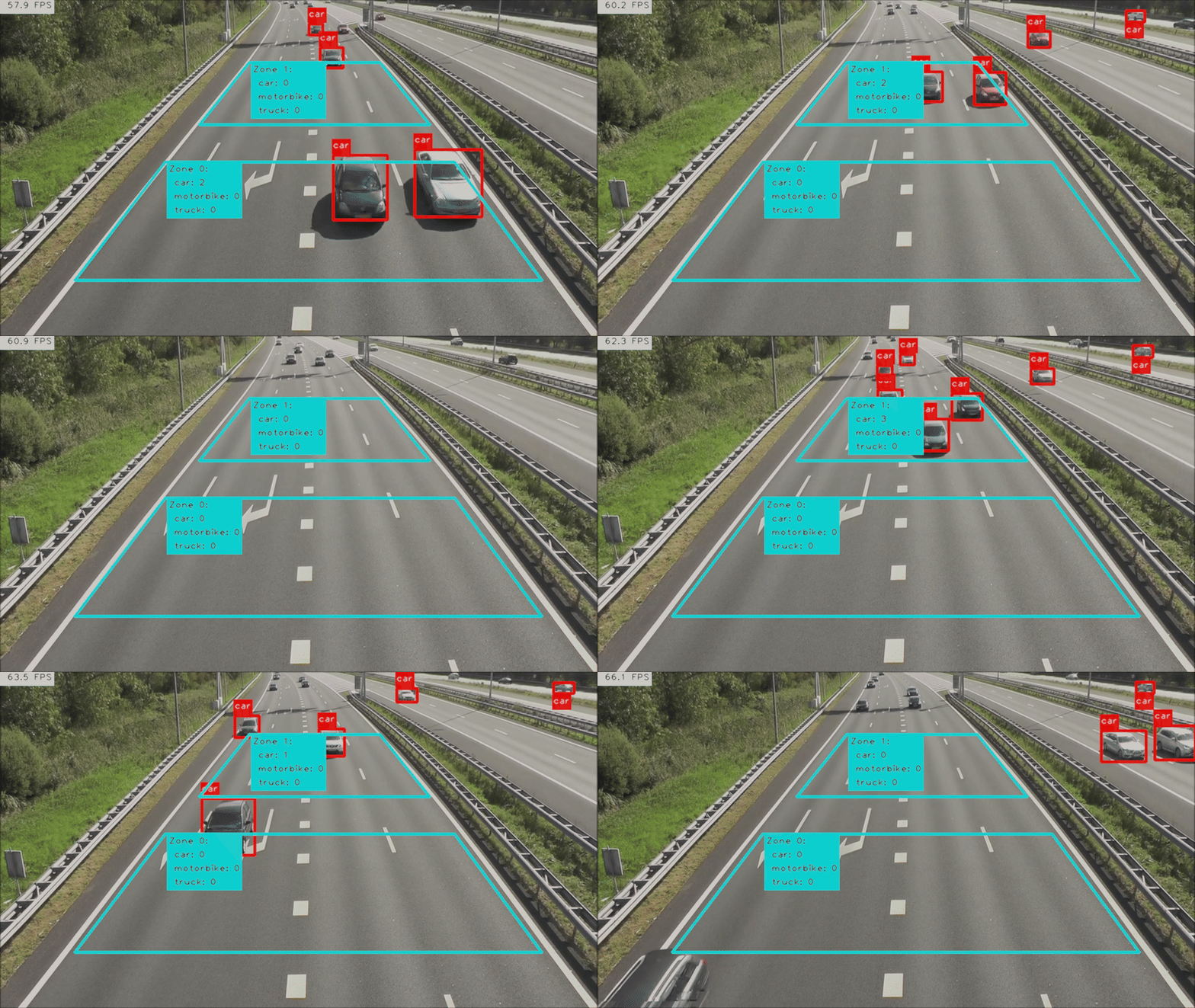
Cars on a freeway passing through two zone counters.
Use this static setup when you want fixed polygon zones with automatic overlays. Update the coordinates in `polygon_zones` to match your scene so `ZoneCounter` can draw per-zone totals and populate `inference_result.zone_counts`.
### Example
{% code overflow="wrap" %}
```python
from degirum_tools import (
ModelSpec,
Display,
ZoneCounter,
AnchorPoint,
remote_assets,
)
import degirum_tools
class_list = ["car", "motorbike", "truck"]
model_spec = ModelSpec(
model_name="yolov8n_coco--640x640_quant_axelera_metis_1",
zoo_url="degirum/axelera",
inference_host_address="@local",
model_properties={
"device_type": ["AXELERA/METIS"],
"overlay_color": [(255, 0, 0)],
"output_class_set": set(class_list),
},
)
model = model_spec.load_model()
video_source = remote_assets.traffic
polygon_zones = [
[[265, 260], [730, 260], [870, 450], [120, 450]],
[[400, 100], [610, 100], [690, 200], [320, 200]],
]
zone_counter = ZoneCounter(
count_polygons=polygon_zones,
class_list=class_list,
per_class_display=True,
triggering_position=AnchorPoint.CENTER,
)
degirum_tools.attach_analyzers(model, [zone_counter])
with Display("AI Camera") as output_display:
for inference_result in degirum_tools.predict_stream(model, video_source):
output_display.show(inference_result.image_overlay)
print("Zone counts:", inference_result.zone_counts)
```
{% endcode %}
## Interactive Zone Counter
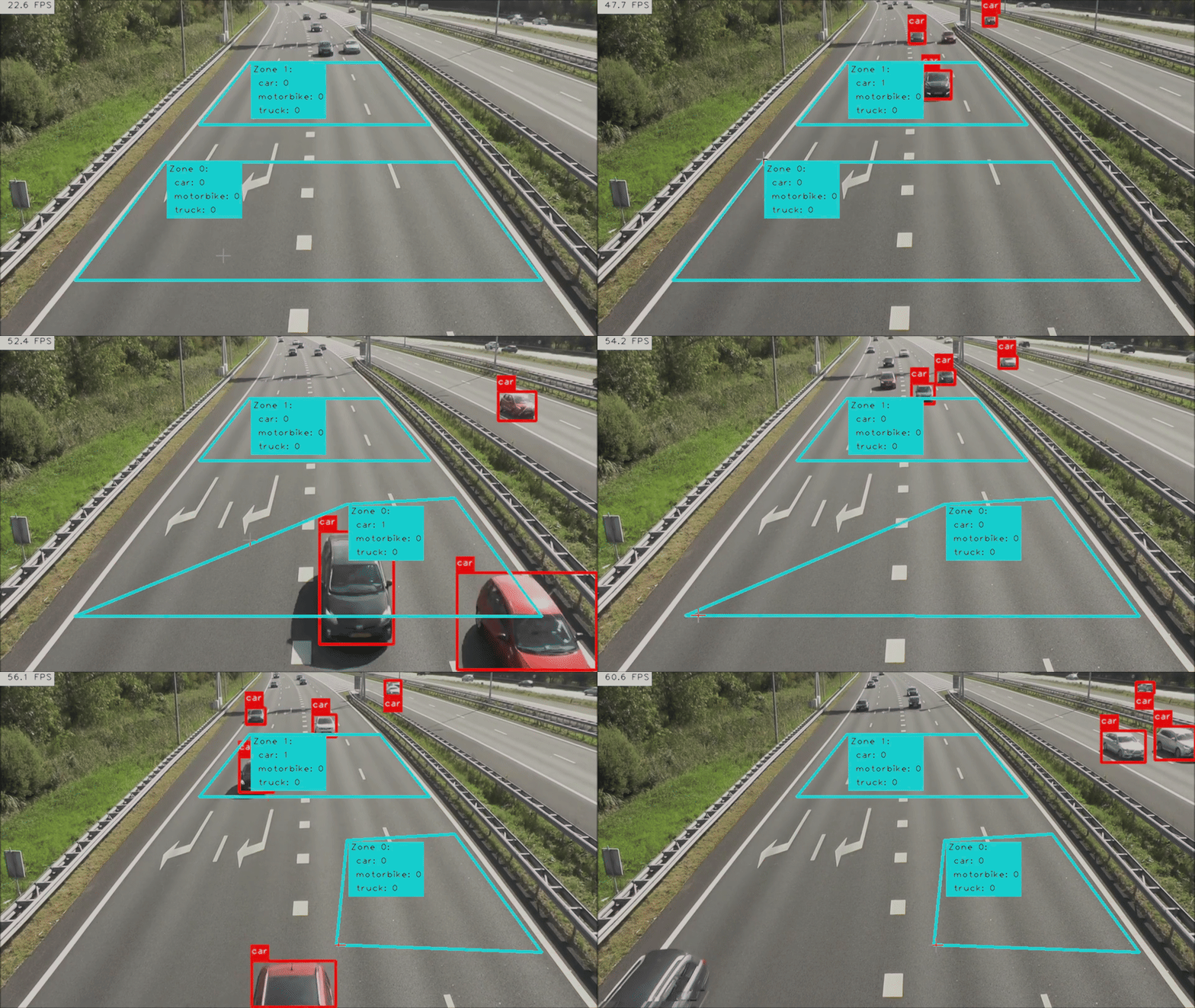
Cars on a freeway passing through two interactive zone counters.
Pick the interactive workflow when you need to reposition zones during a live session. Drag an entire polygon with the left mouse button, then right-click a corner handle to refine that vertex while the stream keeps running.
{% hint style="info" %}
* **Interactive editing**: click and drag zone vertices in the display window to reshape; press `q` to close the window.
* **Classes**: use `output_class_set` to filter which classes are counted; omit it to include all detected labels.
* **Trigger point**: `AnchorPoint.CENTER` works well for people and vehicles; try `BOTTOM_CENTER` for more ground-contact accuracy.
* **Coordinates**: define polygons in image pixels for the resolution you'll display.
* **Performance**: fewer, larger zones are more efficient than many small ones; filtering to needed classes also helps reduce overhead.
* **Mouse controls**: use the left mouse button (LMB) to drag the entire zone; right-click (RMB) a corner handle to adjust that vertex precisely.
{% endhint %}
### Example
{% code overflow="wrap" %}
```python
from degirum_tools import (
ModelSpec,
Display,
ZoneCounter,
AnchorPoint,
remote_assets,
)
import degirum_tools
class_list = ["car", "motorbike", "truck"]
model_spec = ModelSpec(
model_name="yolov8n_coco--640x640_quant_axelera_metis_1",
zoo_url="degirum/axelera",
inference_host_address="@local",
model_properties={
"device_type": ["AXELERA/METIS"],
"overlay_color": [(255, 0, 0)],
"output_class_set": set(class_list),
},
)
model = model_spec.load_model()
video_source = remote_assets.traffic # or your own video path
polygon_zones = [
[[265, 260], [730, 260], [870, 450], [120, 450]],
[[400, 100], [610, 100], [690, 200], [320, 200]],
]
zone_counter = ZoneCounter(
count_polygons=polygon_zones,
class_list=class_list,
per_class_display=True,
triggering_position=AnchorPoint.CENTER,
window_name="AI Camera",
)
degirum_tools.attach_analyzers(model, [zone_counter])
with Display("AI Camera") as output_display:
for inference_result in degirum_tools.predict_stream(model, video_source):
output_display.show(inference_result.image_overlay)
```
{% endcode %}