Image overlay

Customize how predictions are visualized on the output image—control labels, colors, line thickness, blur, and other overlay settings without affecting model results.

Estimated read time: 4 minutes

The rendered image you see comes from the result's image_overlay—your original frame with detections, keypoints, and (if applicable) segments drawn on top. Overlay settings affect only visualization; they do not change predictions, scores, or NMS behavior. The appearance is controlled by the properties below.

What you can change

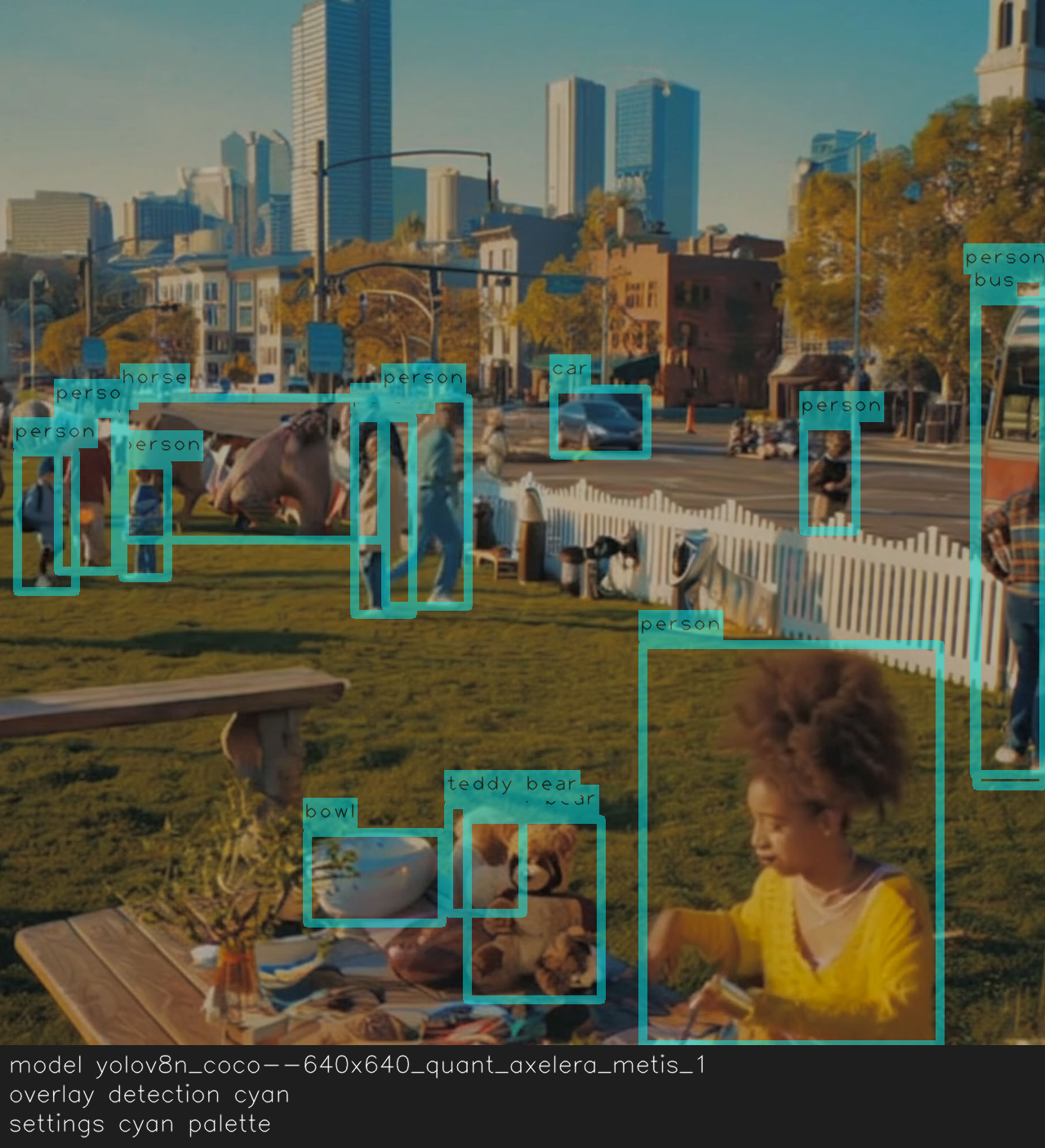
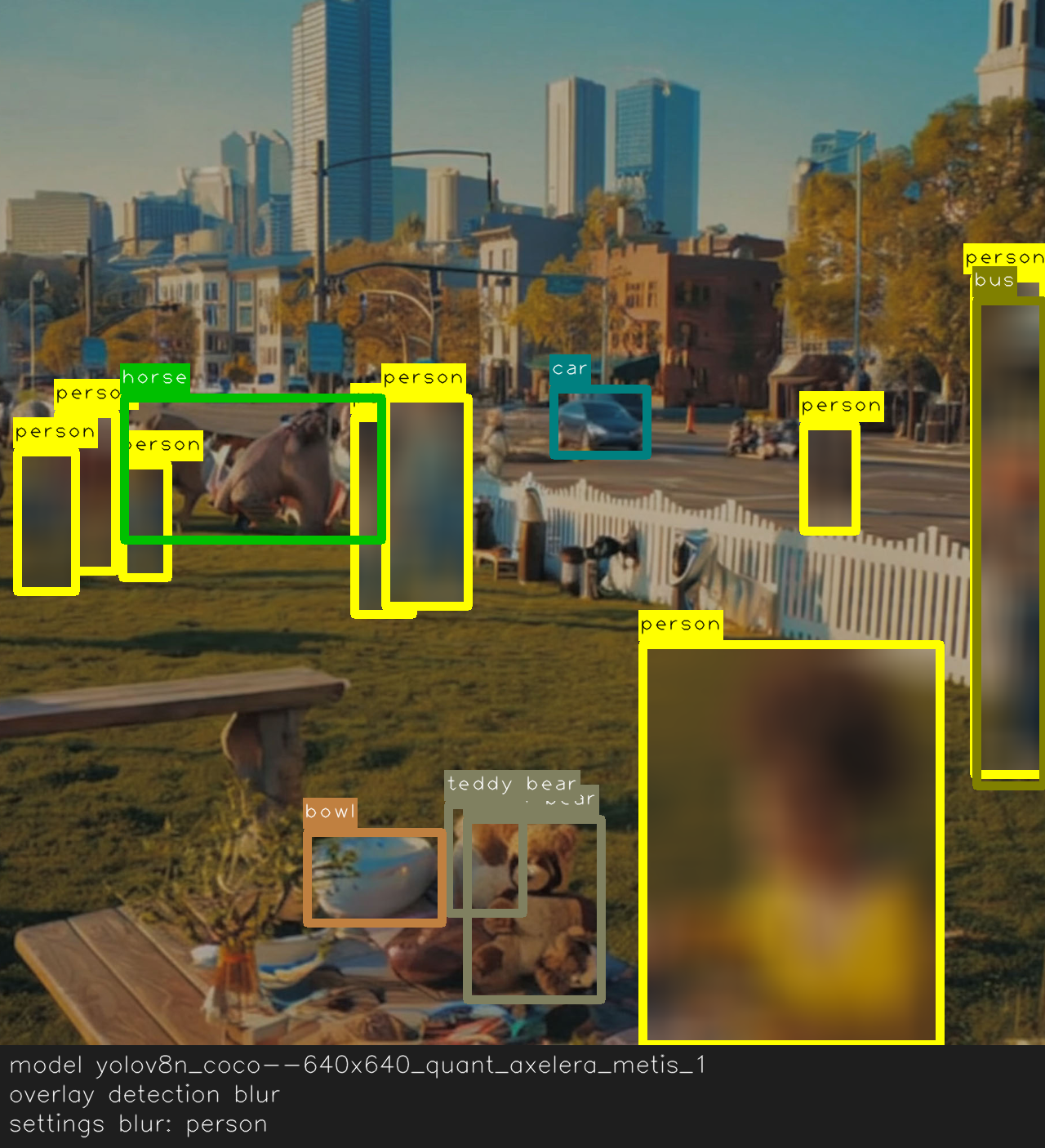
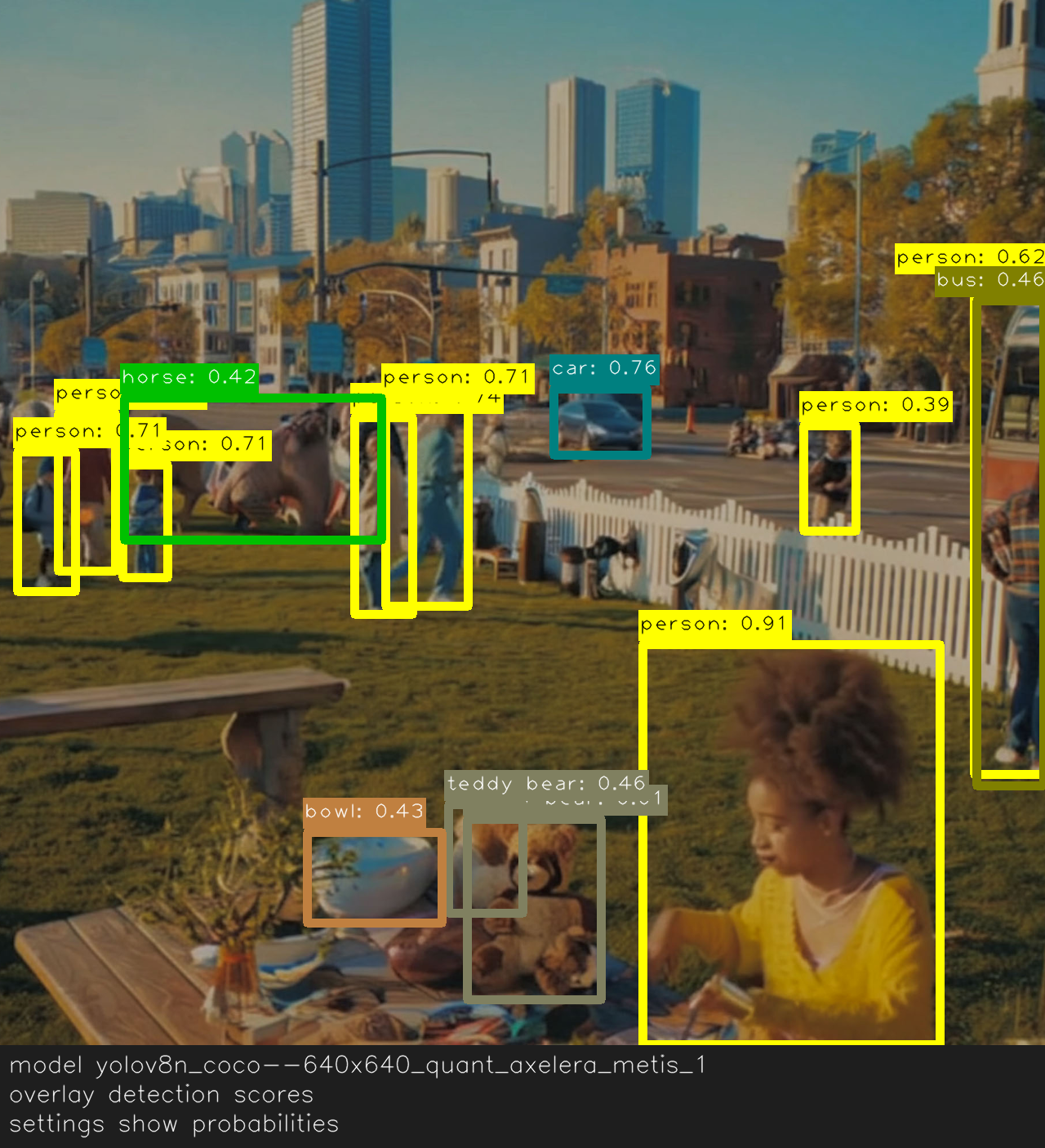
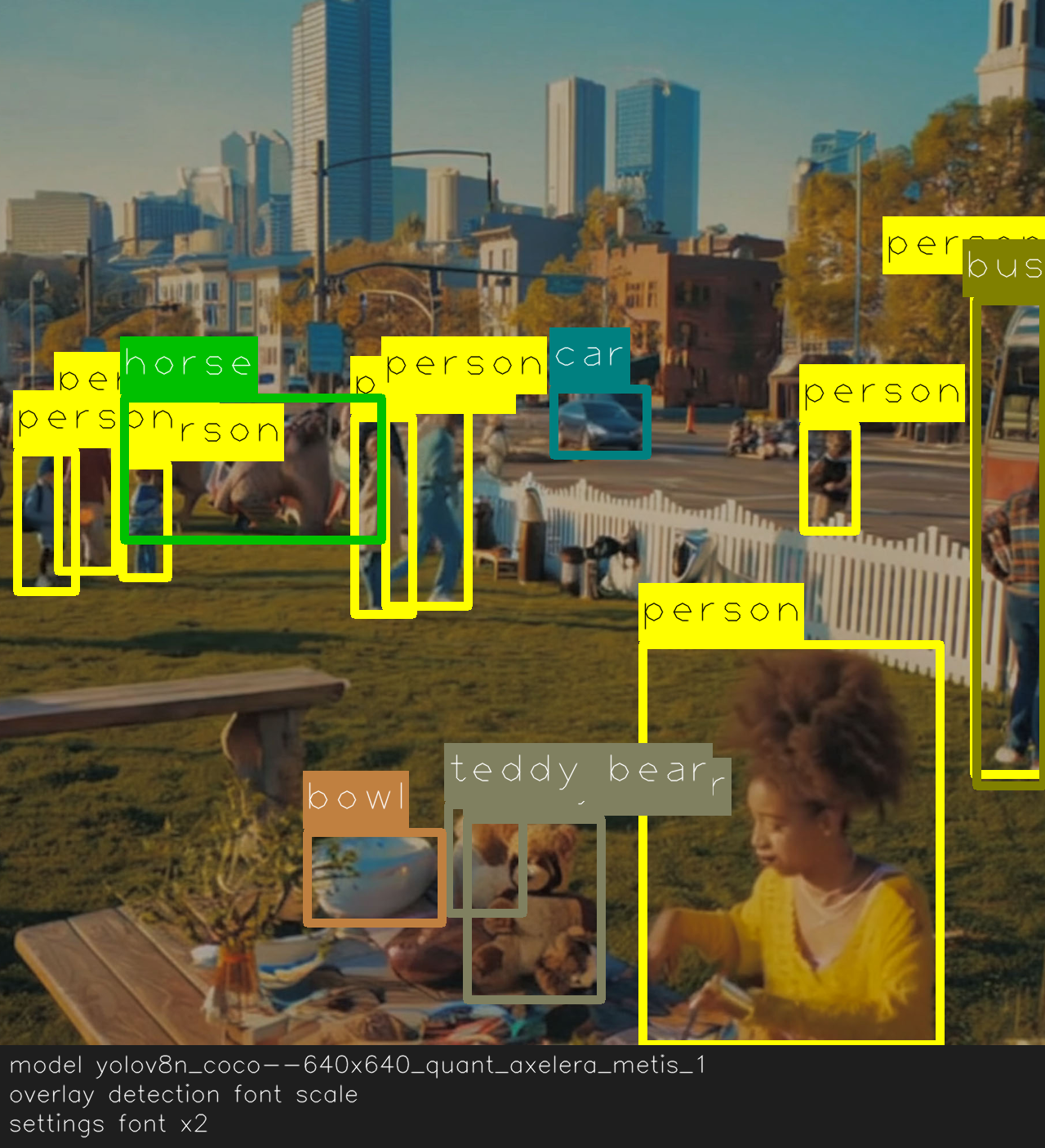
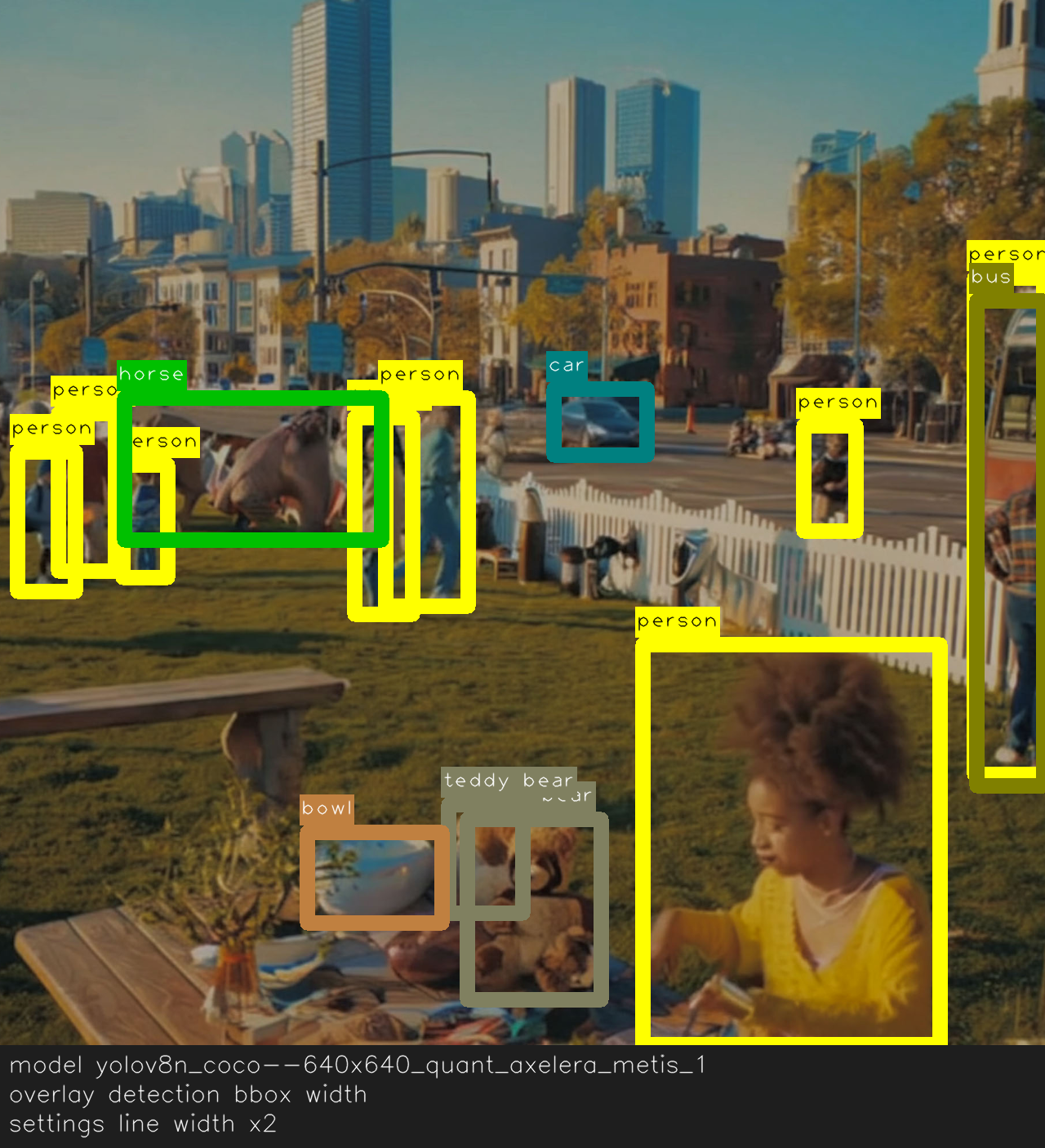
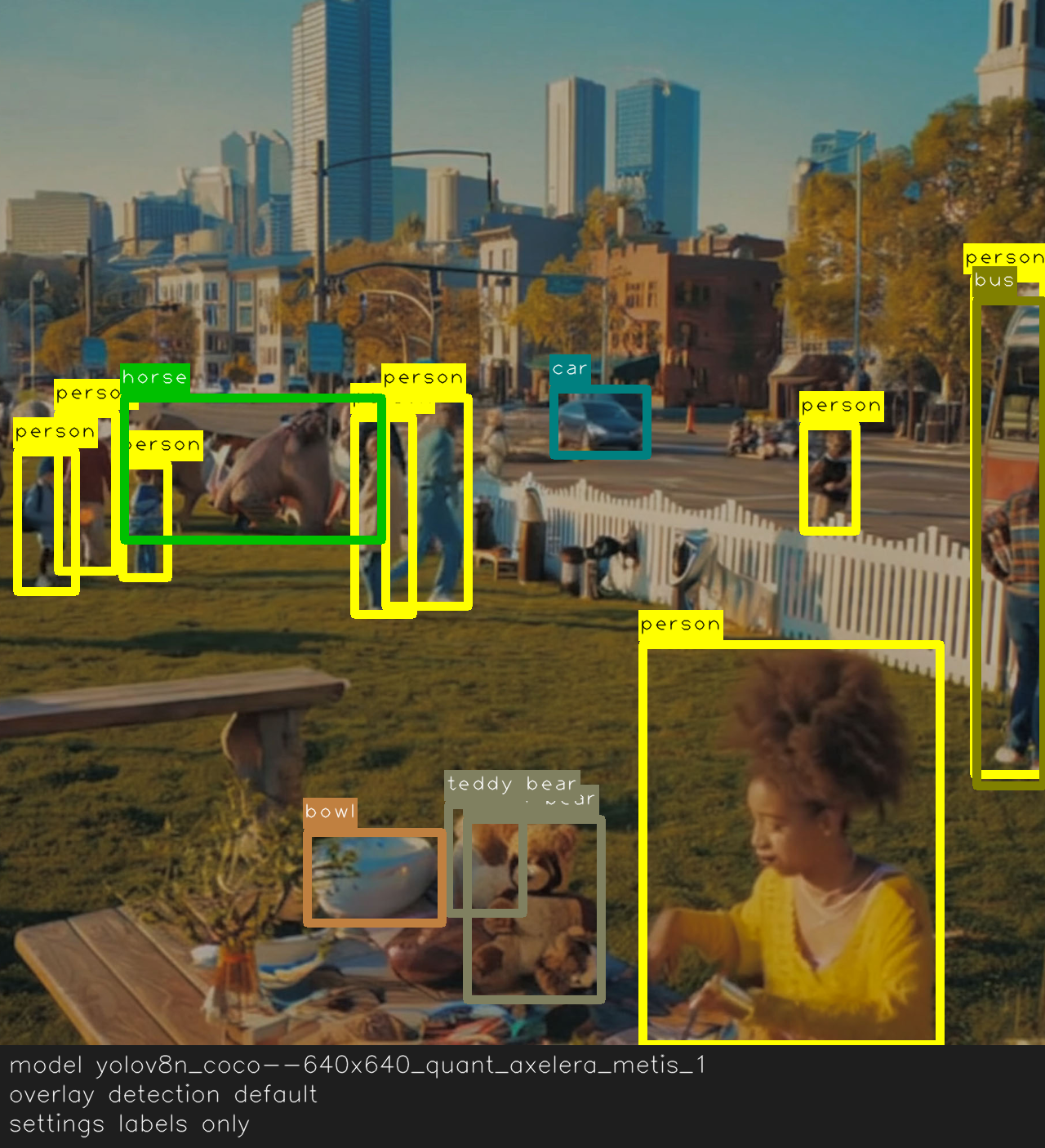
The examples below show seven overlay presets applied to the same frame.

Detection overlay showing default labels without scores or color changes.
Baseline overlay: labels on, probabilities hidden.
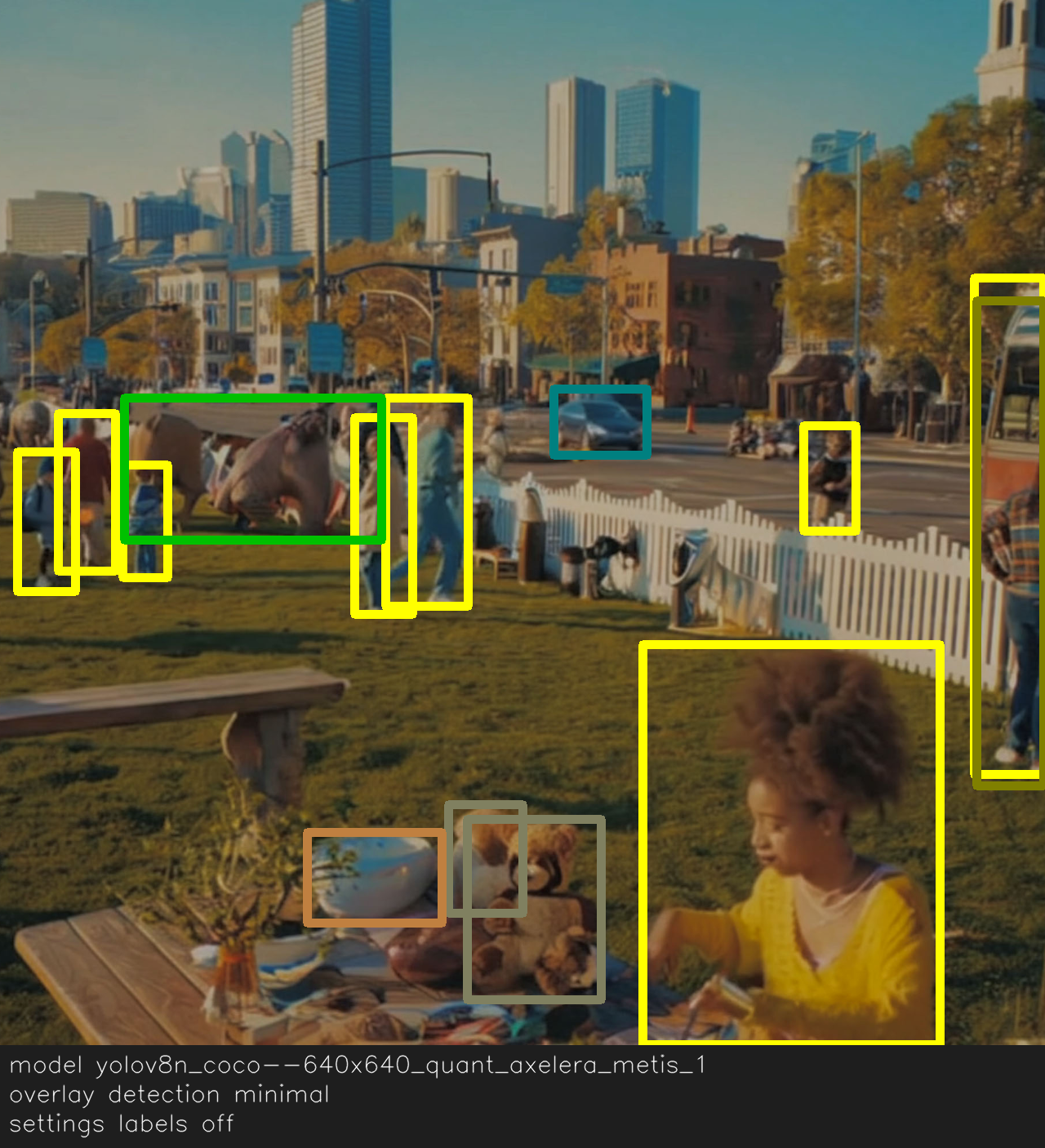
  • overlay_show_labels (bool): Show or hide class names.

    • Use False for low-clutter dashboards.

  • overlay_show_probabilities (bool): Show or hide scores next to labels.

    • Hide in demos to reduce visual noise.

  • overlay_line_width (int): Thickness of boxes and lines.

    • Typical range: 1–4. Increase for high-res or bright scenes.

  • overlay_font_scale (float): Label text size.

    • Typical range: 0.5–0.9. Scale with your stream resolution.

  • overlay_alpha (float 0–1): Box fill opacity.

    • Typical range: 0.2–0.5. Lower values make more background visible.

  • overlay_color (RGB tuple or list of RGB tuples, writable): Colors used for overlay elements.

    • Single tuple: One color for everything (points, boxes, labels, segments).

    • List of tuples: Behavior depends on model type:

      • Classification: Different label colors per class.

      • Detection: Different box/label colors per class.

      • Pose: Different keypoint colors per person.

      • Segmentation: Different segment colors per class.

    • If the list is shorter than the number of classes, colors are cycled.

    • Defaults:

      • Most models: Single yellow RGB tuple.

      • Segmentation models: Auto-generated palette (one color per class).

    • Use label_dictionary to inspect class names.

  • overlay_blur (writable): Blur policy for the overlay.

    • None: No blur.

    • "all": Blur all detected objects.

    • A class label or list of labels: Blur only those classes (from label_dictionary).

Minimal Inspection

Run this quick check to confirm the overlay configuration your model exposes.

from degirum_tools import ModelSpec, remote_assets

spec = ModelSpec(
    model_name="yolov8n_coco--640x640_quant_axelera_metis_1",
    zoo_url="degirum/axelera",
    inference_host_address="@local",
    model_properties={
        "device_type": ["AXELERA/METIS"],
    },
)
model = spec.load_model()
model(remote_assets.urban_picnic_elephants)

print("labels:", model.overlay_show_labels)
print("probs:", model.overlay_show_probabilities)
print("line width:", model.overlay_line_width)
print("font scale:", model.overlay_font_scale)
print("alpha:", model.overlay_alpha)
print("color:", model.overlay_color)
print("blur:", getattr(model, "overlay_blur", None))

Example output:

labels: True
probs: False
line width: 3
font scale: 1.0
alpha: auto
color: [(255, 255, 0), (0, 128, 0), (0, 128, 128), (128, 0, 0), (128, 0, 128), (128, 128, 0), (128, 128, 128), (0, 0, 64), (0, 0, 192), (0, 128, 64), (0, 128, 192), (128, 0, 64), (128, 0, 192), (128, 128, 64), (128, 128, 192), (0, 64, 0), (0, 64, 128), (0, 192, 0), (0, 192, 128), (128, 64, 0), (128, 64, 128), (128, 192, 0), (128, 192, 128), (0, 64, 64), (0, 64, 192), (0, 192, 64), (0, 192, 192), (128, 64, 64), (128, 64, 192), (128, 192, 64), (128, 192, 192), (64, 0, 0), (64, 0, 128), (64, 128, 0), (64, 128, 128), (192, 0, 0), (192, 0, 128), (192, 128, 0), (192, 128, 128), (64, 0, 64), (64, 0, 192), (64, 128, 64), (64, 128, 192), (192, 0, 64), (192, 0, 192), (192, 128, 64), (192, 128, 192), (64, 64, 0), (64, 64, 128), (64, 192, 0), (64, 192, 128), (192, 64, 0), (192, 64, 128), (192, 192, 0), (192, 192, 128), (64, 64, 64), (64, 64, 192), (64, 192, 64), (64, 192, 192), (192, 64, 64), (192, 64, 192), (192, 192, 64), (192, 192, 192), (0, 0, 32), (0, 0, 160), (0, 128, 32), (0, 128, 160), (128, 0, 32), (128, 0, 160), (128, 128, 32), (128, 128, 160), (0, 0, 96), (0, 0, 224), (0, 128, 96), (0, 128, 224), (128, 0, 96), (128, 0, 224), (128, 128, 96), (128, 128, 224), (0, 64, 32)]
blur: None

Last updated

Was this helpful?