# Output postprocessing

*Estimated read time: 4 minutes*

Postprocessing turns raw model predictions into the final list you work with. The goal is simple: keep the predictions you care about, drop the rest, and do it in a way that’s stable and fast. This page focuses on runtime-adjustable knobs and why you’d change them.

## Model family notes

* **Detection/instance tasks** (e.g., object detection, instance segmentation): main knobs are `output_confidence_threshold`, `output_nms_threshold`, result caps, and `output_class_set`.
* **Classification**: main knob is `output_top_k` (how many labels to return). NMS doesn’t apply.
* **Pose/keypoints**: `output_pose_threshold` filters low‑confidence landmarks; other detection knobs may still apply if bounding boxes are present.

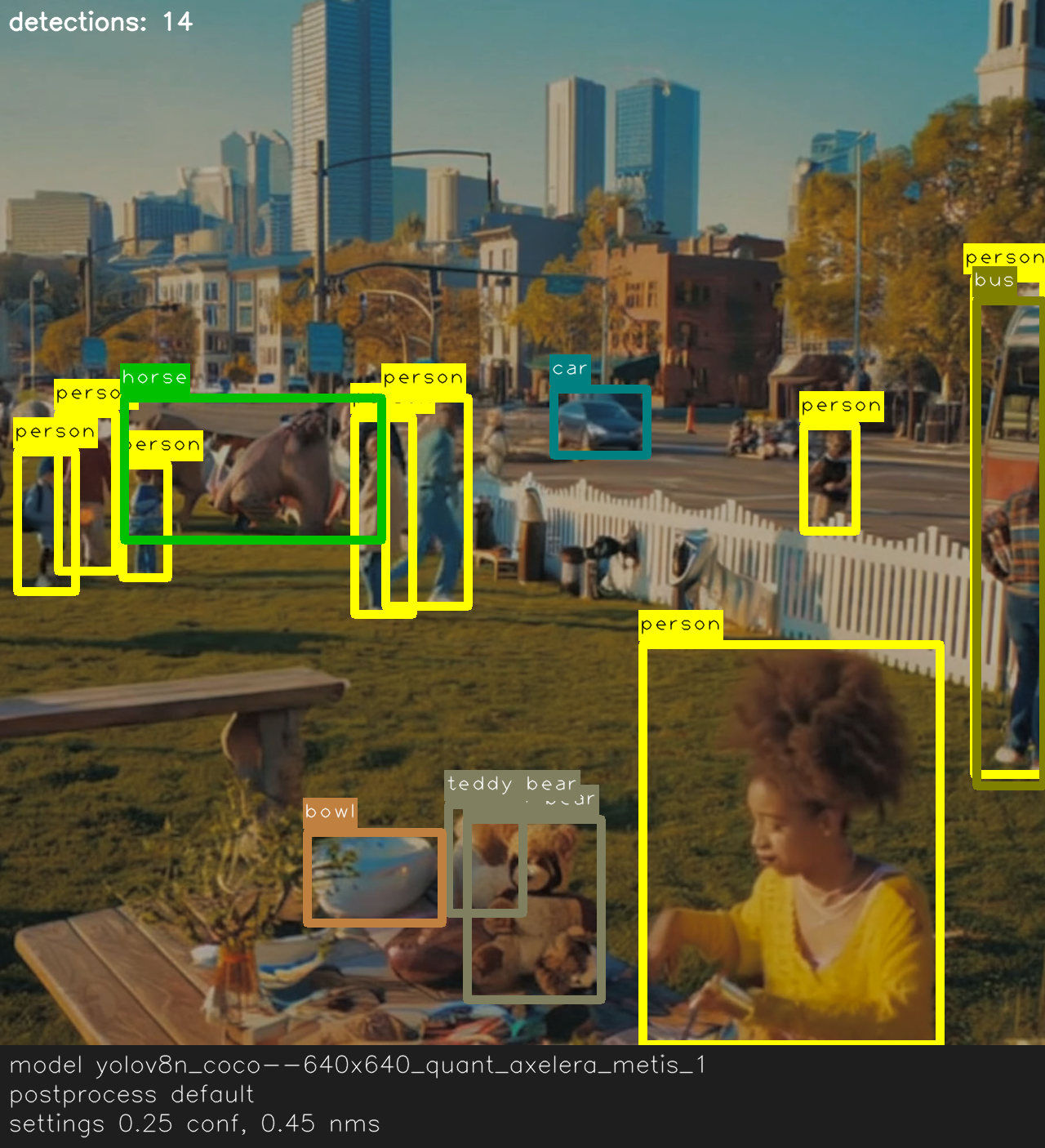
Compare postprocessing configurations using the tabs below.

{% tabs %}
{% tab title="Default" %}

<figure><img src="/files/C5M0i7hYwHdrwvkc27BU" alt="Detection overlay with default postprocessing thresholds showing several people and animals."><figcaption><p>Baseline settings: confidence 0.25 and NMS 0.45.</p></figcaption></figure>
{% endtab %}

{% tab title="High confidence" %}

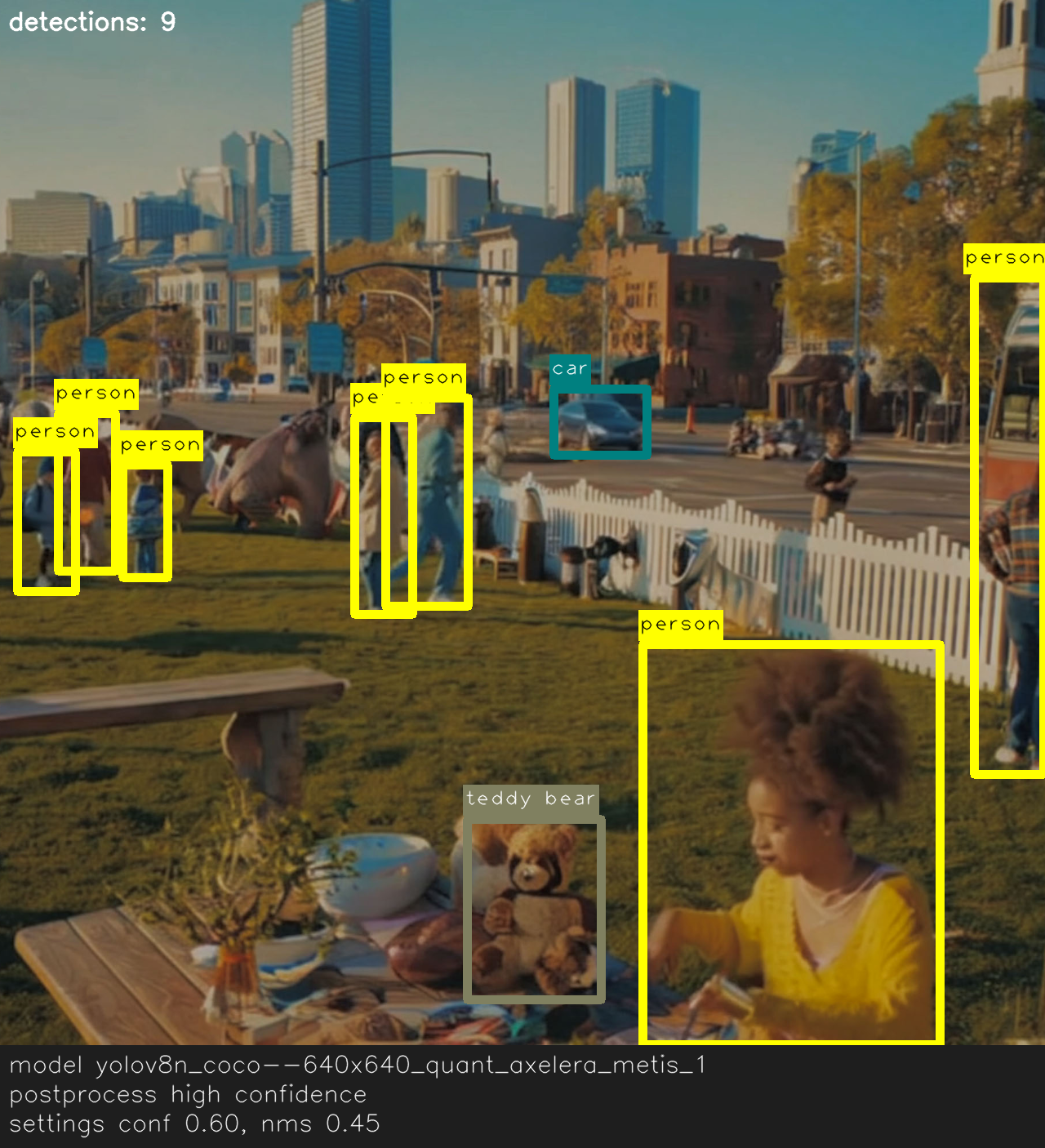
<figure><img src="/files/ynfsX5nXwBmF4Y9rhRAQ" alt="Detection overlay after raising the confidence threshold to 0.60, leaving only the highest probability boxes."><figcaption><p>Higher confidence threshold (0.60) filters low-score detections.</p></figcaption></figure>
{% endtab %}

{% tab title="Looser NMS" %}

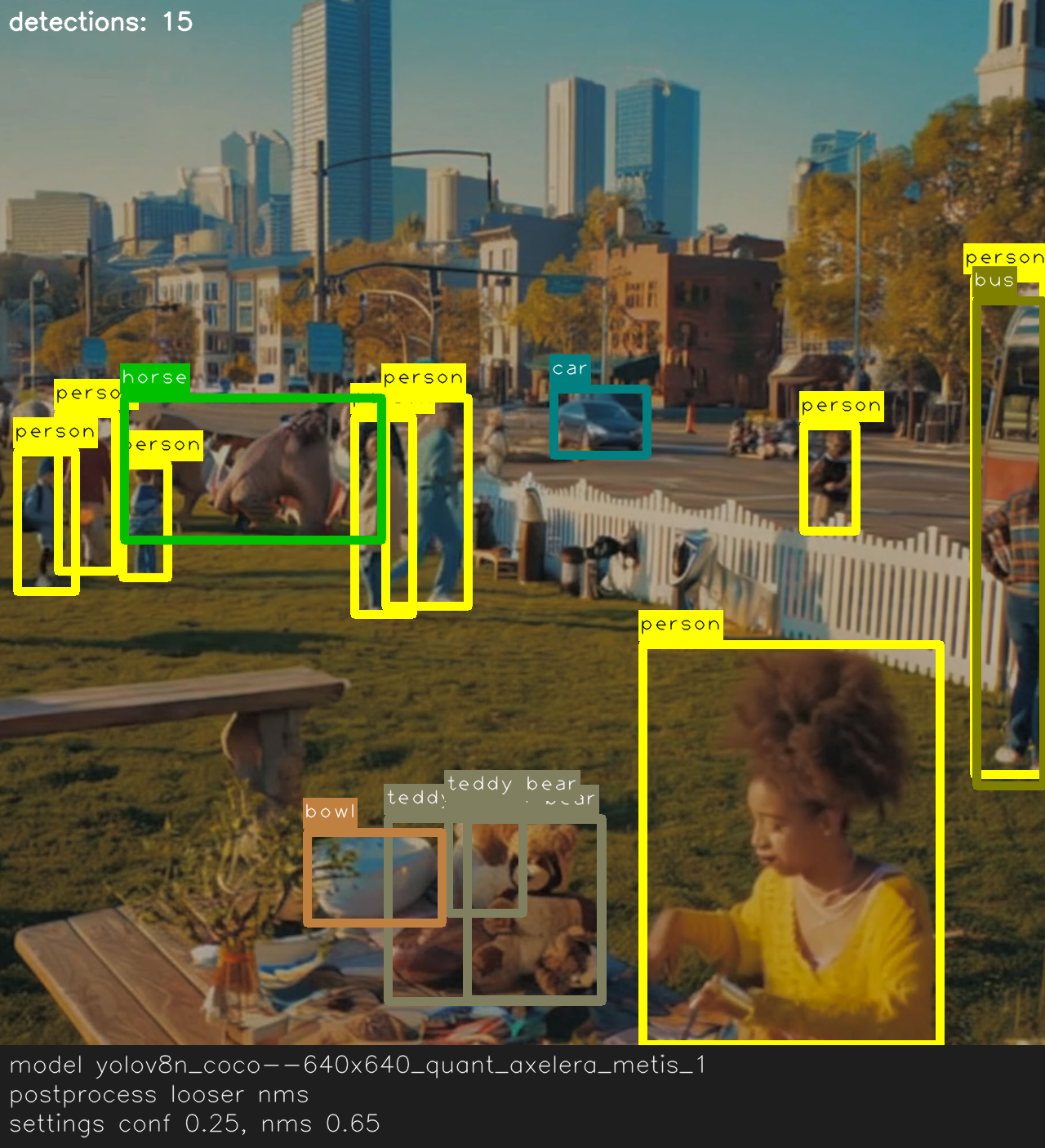
<figure><img src="/files/rLbfz7hoT1gP5NBrPs7t" alt="Detection overlay with looser non-maximum suppression at 0.65 showing overlapping boxes."><figcaption><p>Looser NMS (0.65) keeps more overlapping boxes.</p></figcaption></figure>
{% endtab %}

{% tab title="Tight NMS" %}

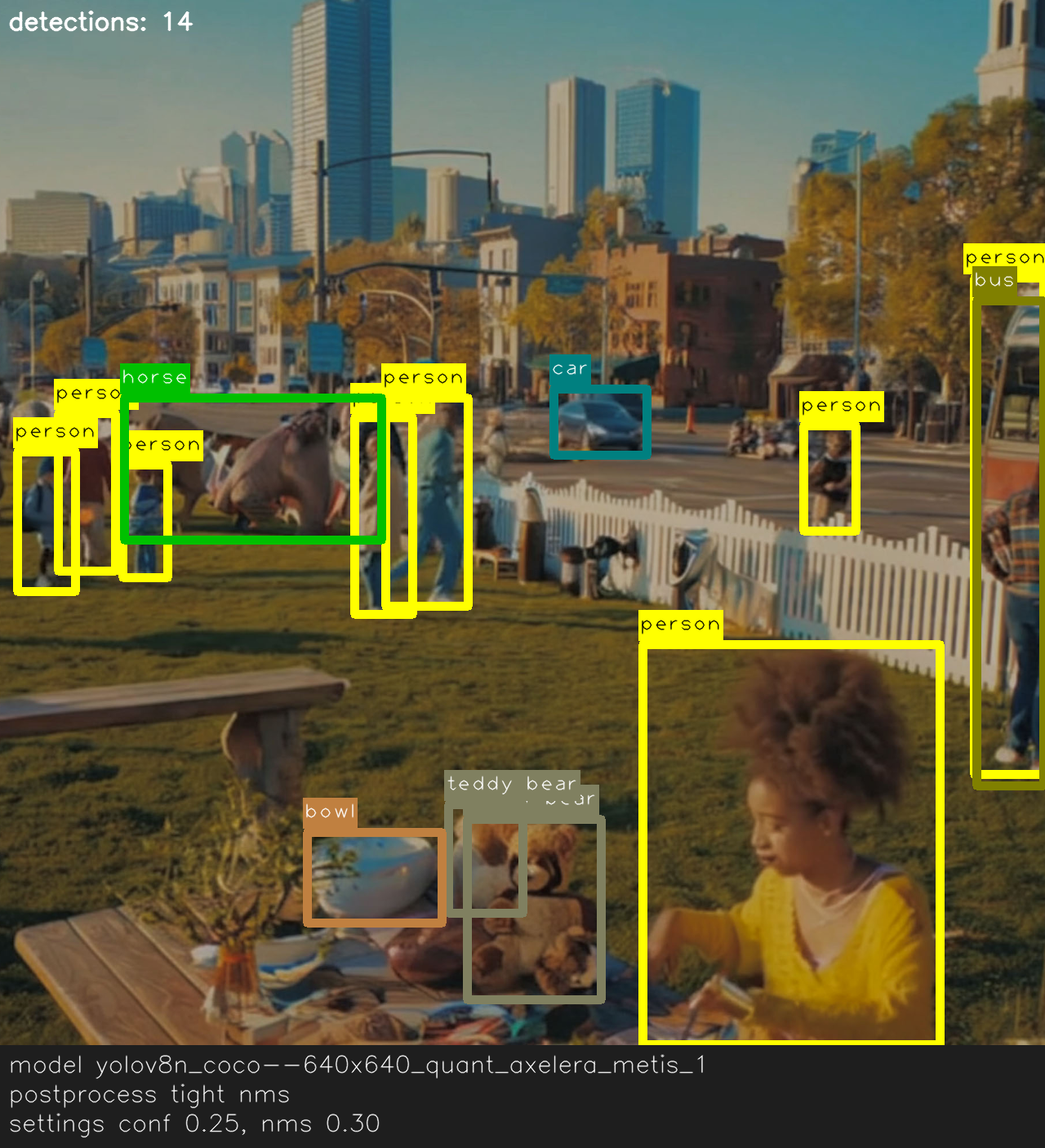
<figure><img src="/files/6HVMkIHwgPAZZMi8Xgne" alt="Detection overlay with tight non-maximum suppression at 0.30 removing crowded boxes."><figcaption><p>Tighter NMS (0.30) suppresses overlapping detections.</p></figcaption></figure>
{% endtab %}

{% tab title="Person-only" %}

<figure><img src="/files/5niI1o4GGyeIvsbafO2D" alt="Detection overlay filtered to only show person detections."><figcaption><p>Class filter keeps only the `person` label.</p></figcaption></figure>
{% endtab %}

{% tab title="Detection cap" %}

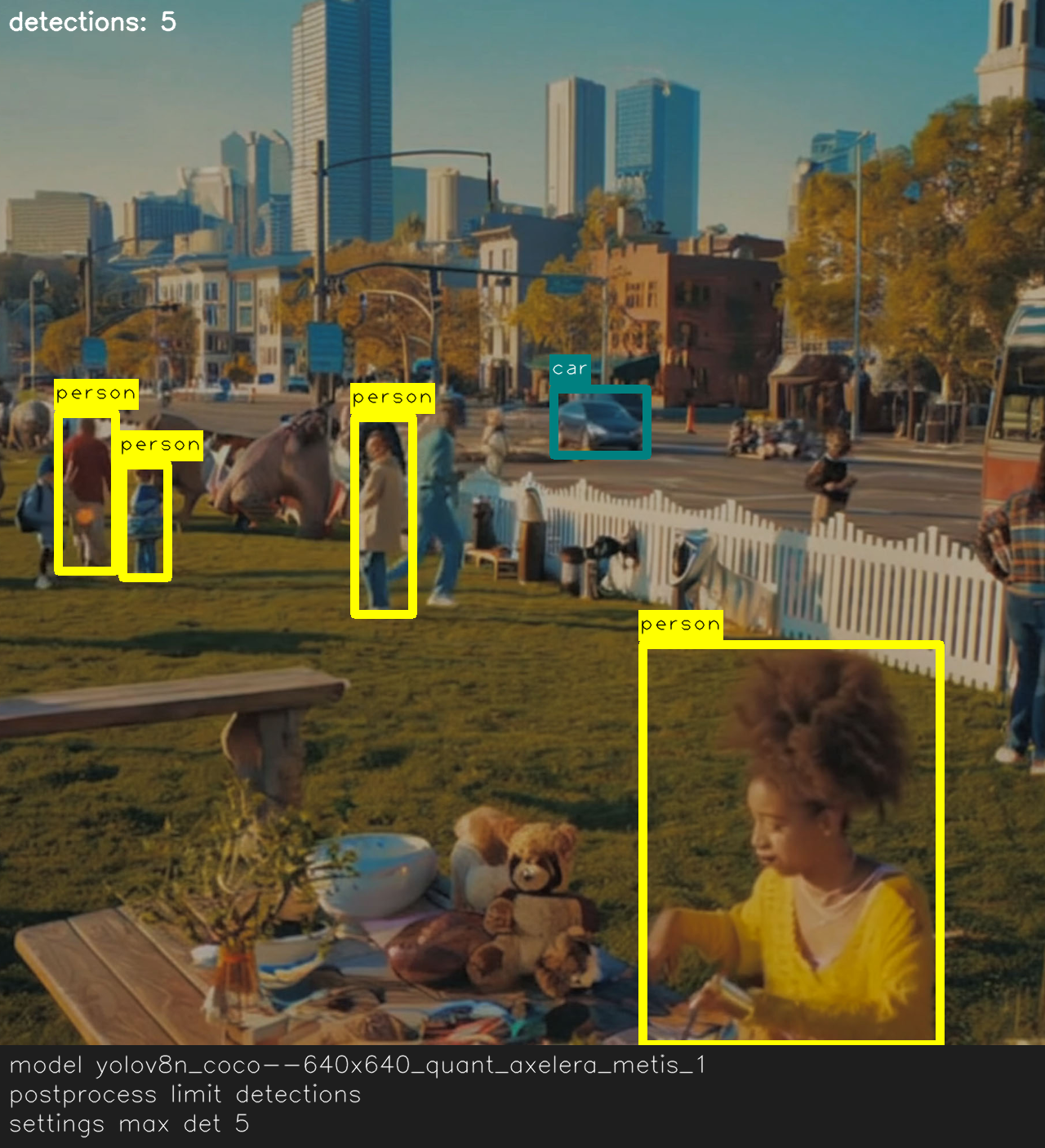
<figure><img src="/files/1s3poiBBW4pOToFYz813" alt="Detection overlay limited to five detections due to output cap."><figcaption><p>Limiting detections to five returns only the most confident boxes.</p></figcaption></figure>
{% endtab %}
{% endtabs %}

## Basic Parameters

{% stepper %}
{% step %}
**Confidence threshold**: `output_confidence_threshold`

Minimum score to keep a prediction.

* Higher values → fewer boxes, more precision
* Lower values → more boxes, better recall (but more false positives)
* **Suggested values:** 0.25 for exploration, 0.4–0.6 for production (tune per model)
  {% endstep %}

{% step %}
**NMS overlap**: `output_nms_threshold`

IoU threshold for non‑maximum suppression—how much overlap is allowed before suppressing a box.

* Lower values (e.g., 0.4) → aggressive suppression (cleaner but may remove nearby objects)
* Higher values (e.g., 0.6) → keeps more overlapping boxes (better for crowded scenes)
  {% endstep %}

{% step %}
**Caps**: size and balance of the output list

* **Detection/instance tasks**:
  * `output_max_detections`: upper bound for total detections (global cap)
  * `output_max_detections_per_class`: per‑class limit (prevents one class from dominating)
  * `output_max_classes_per_detection`: max labels per box (for multi‑label outputs)
* **Classification**:
  * `output_top_k`: number of top labels to return (e.g., 1 for single‑label, 5–10 for exploratory UIs)
    {% endstep %}

{% step %}
**Focus by class**: `output_class_set`

Allowlist of classes you want to keep (use label strings).

* Example: `["person", "car", "truck"]`

{% hint style="info" %}
Inspect `label_dictionary` to avoid typos and confirm canonical names.
{% endhint %}
{% endstep %}
{% endstepper %}

## Advanced Parameters

* `output_use_regular_nms` **(bool)**: toggles NMS algorithm if supported. Use only if the default behaves poorly.
* `output_pose_threshold` **(float)**: filters low-confidence keypoints in pose models.
* `output_postprocess_type` **(info)**: reports model’s postprocessing type. Informational only (see advanced guide).
* `inference_results_type` **(info)**: indicates result format variant. Leave as default unless your integration requires changes.
* `custom_postprocessor` **(advanced)**: attach your own logic for decoding or filtering results (see advanced guide).

## Pitfalls to avoid

* **Too low confidence + low NMS** → too many overlapping boxes → UI lag, noisy metrics
* **Too high confidence** → misses small/faint objects → high precision, low recall
* **Small `output_max_detections`** → drops valid detections (especially long‑tail classes)
* **Wrong class names** → `output_class_set` must match `label_dictionary` exactly

## Minimal Inspection

Run this quick check to confirm the postprocessing settings applied by the model.

### Example

{% code overflow="wrap" %}

```python
from degirum_tools import ModelSpec, remote_assets

spec = ModelSpec(
    model_name="yolov8n_coco--640x640_quant_axelera_metis_1",
    zoo_url="degirum/axelera",
    inference_host_address="@local",
    model_properties={
        "device_type": ["AXELERA/METIS"],
    },
)
model = spec.load_model()
result = model(remote_assets.urban_picnic_elephants)

print("conf:", model.output_confidence_threshold)
print("nms:", model.output_nms_threshold)
print("max det:", model.output_max_detections)
print("per-class:", model.output_max_detections_per_class)
print("top-k:", model.output_top_k)
print("class set:", model.output_class_set)
print("pose thr:", getattr(model, "output_pose_threshold", None))
print("nms flavor:", getattr(model, "output_use_regular_nms", None))
print("results type:", model.inference_results_type)
print("custom postprocess:", getattr(result, "custom_postprocess_data", None))
```

{% endcode %}

Example output:

{% code overflow="wrap" %}

```bash
conf: 0.3
nms: 0.6
max det: 100
per-class: 100
top-k: 0
class set: []
pose thr: 0.8
nms flavor: True
results type: 
custom postprocess: None
```

{% endcode %}


---

# Agent Instructions: Querying This Documentation

If you need additional information that is not directly available in this page, you can query the documentation dynamically by asking a question.

Perform an HTTP GET request on the current page URL with the `ask` query parameter:

```
GET https://docs.degirum.com/axelera/intermediate-guides/model-properties/output-postprocessing.md?ask=<question>
```

The question should be specific, self-contained, and written in natural language.
The response will contain a direct answer to the question and relevant excerpts and sources from the documentation.

Use this mechanism when the answer is not explicitly present in the current page, you need clarification or additional context, or you want to retrieve related documentation sections.